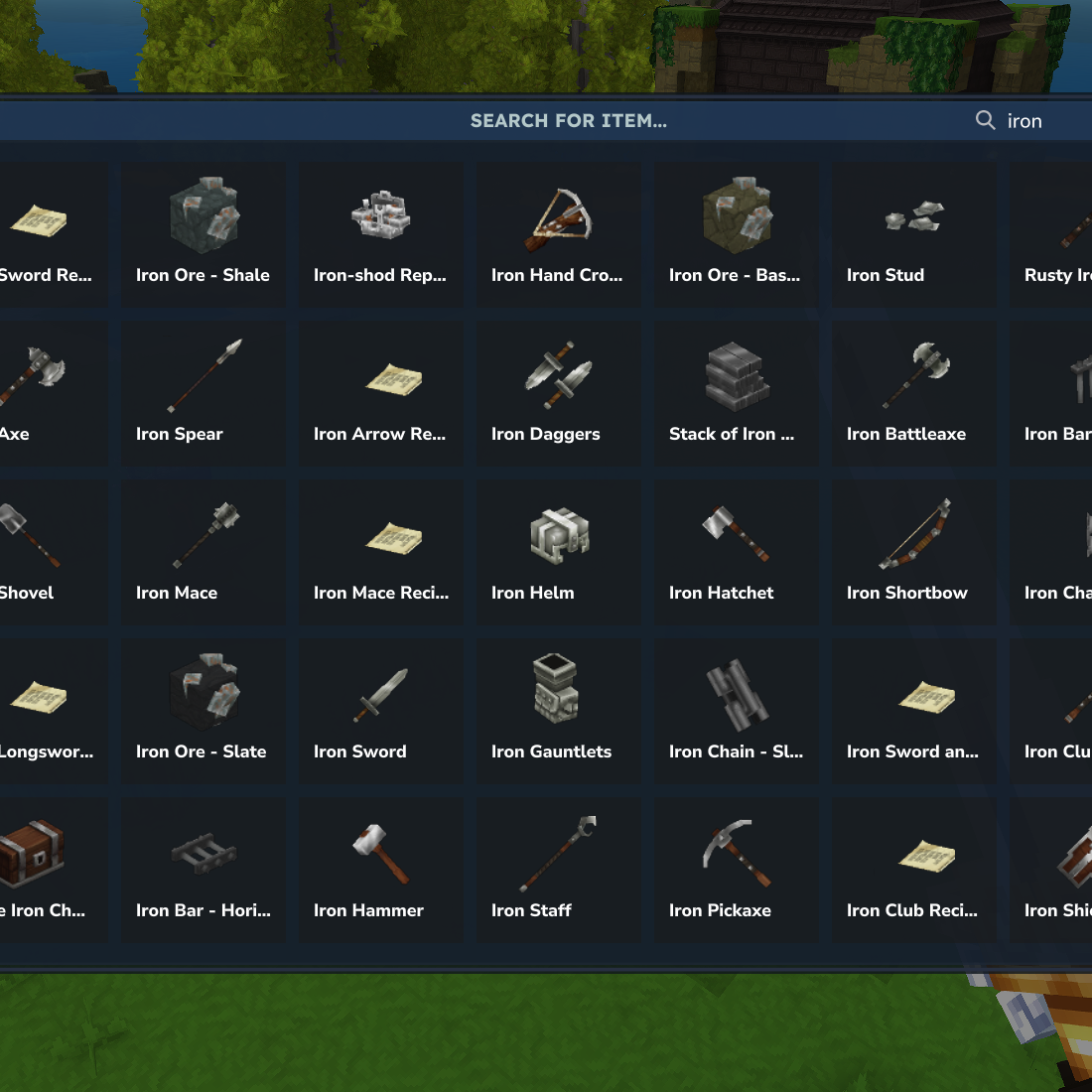
MAutoModGenerator - Easily patch other mods files (interface, language and more!)
An automated mod generator plugin for Hytale servers that automatically builds mod jar files from configured source directories.
Описание
Разработчик MAutoModGenerator Автоматический генератор модов для Hytale
Автоматический плагин генератора модов для серверов Hytale, который автоматически создает файлы мод-банок из настроенных каталогов источников.
Обзор
MAutoModGenerator - это плагин, который автоматически генерирует Файлы мод-банок Hytale, собирая файлы из настроенных каталогов источников и создавая правильный пакет модов с manifest.json. Это полезно для упаковки пользовательского контента, активов или конфигураций в распространяемые мод-файлы.
Основной вариант использования: Asset Mod Patching
Основная цель MAutoModGenerator - упростить создание модов активов, особенно для исправления других модов.
С тех пор Моды Hytale загружаются в определенном порядке, моды, генерируемые MAutoModGenerator, всегда загружаются последними. Это делает его идеальным для создания патч модс которые отменяют или расширяют файлы из других модов:
- Языковые файлыЗаменить или добавить переводы к существующим модам
- Исправление ошибок перевода в других модах
- Добавить новые языковые переводы для модов, которые еще не были переведены
- Настройка текста и сообщений в соответствии со стилем вашего сервера
- Изображения и текстуры: Переопределить текстуры, иконки и элементы пользовательского интерфейса
- Замените текстуры пользовательскими версиями
- Обновление элементов пользовательского интерфейса в соответствии с темой вашего сервера
- Исправление визуальных ошибок или несоответствий
- Интерфейс файловМодифицировать компоненты и макеты UI
- Настройка элементов интерфейса
- Адаптация макетов и стиля
- Добавлять или изменять компоненты пользовательского интерфейса
Как это работает: Просто поместите файлы, которые вы хотите переопределить в файлы Каталог с той же структурой пути, что и оригинальный мод. Когда сгенерированный мод загружается, он заменяет файлы из исходных модов.
Пример: Для исправления языкового файла из другого мода, расположенного в Сервер/Языки/pt-BR/somemod.langПросто поместите свой пользовательский файл в Файлы/сервер/языки/pt-BR/somemod.lang в каталоге файлов MAutoModGenerator.
Особенности
- Автоматическое модульное здание: Автоматически создает файлы mod jar на инициализации плагина
- Настраиваемые каталоги источниковПоддержка нескольких каталогов источников для сбора файлов
- Автоматический манифест поколения: Генерирует
manifest.jsonна основе конфигурации - Восстановление на командной основе: Восстановление модов по требованию с использованием
/mautomodgenerator Восстановлениекомандовать - Каталог источников по умолчанию: Автоматически включает файлы из
config/com.machina/mautomodgenerator/filesсправочник
установка
- Поместите плагин MAutoModGenerator JAR в файл Сервер Hytale
модиливстроенныйсправочник - Убедитесь, что у вас есть
HytaleServer.jarфайл в файлеlib/справочник - Перезагрузить сервер или перезагрузить плагины
- Плагин будет автоматически создавать мод при первой загрузке
конфигурация
Все настройки управляются через config.json5 файл в каталоге данных плагина.
Явная конфигурация
{
"проявить": {
"группа": "com.machina",
"имя": "маутомоденатор-пакет",
"версия": "1.0.0",
"автор": "Мачина",
«Описание»: «Мод, автоматически генерирующий мод»
?
?
Варианты конфигурации:
Манифест.группа: Идентификатор группы модов (должен быть совместимым с файлами):↑ [a-zA-Z0-9_.-]+$)имя: Имя мода (должно быть файлово-совместимым):↑ [a-zA-Z0-9_.-]+$)Манифест.версия: Мод версия (например, "1.0.0")Манифест, автор: Имя автораМанифест.Описание: Описание мод
Источник каталогов конфигурация
{
"src": {
"каталоги": [
"/path/to/custom/files",
"/another/path/to/files"
]
?
?
Варианты конфигурации:
src.directoriesСписок каталогов для сбора файлов из (необязательно)- Плагин автоматически включает
config/com.machina/mautomodgenerator/filesпо умолчанию - Дополнительные каталоги могут быть указаны в этом списке
- Все файлы из этих каталогов будут включены в сгенерированную банку модов.
- Плагин автоматически включает
использование
Автоматическое здание
Мод автоматически создается, когда:
- Плагин сначала загружается
- Сервер начинается с включенного плагина
Созданный файл mod jar будет создан в корневой директории сервера с форматом: {group}-{name}.zip
Пример: com.machina-mautomodgenerator-pack.zip
Ручное восстановление
Вы можете вручную перестроить мод в любое время, используя команду:
/mautomodgenerator ВосстановлениеИли использовать псевдоним:
Реконструкция /mamgРазрешение: Требуется mautomodgenerator.command.rebuild.permission
Как это работает
- Файловая коллекция: Плагин сканирует все настроенные каталоги источников (включая по умолчанию)
config/com.machina/mautomodgenerator/files) - Явное поколениеСоздает A
manifest.jsonФайл основан на вашей конфигурации - ТворчествоПакеты всех собранных файлов вместе с манифестом в файл банка
- выход: Сгенерированная мод-баночка сохраняется в корневом каталоге сервера
Файловая структура
Сгенерированная мод-баночка будет иметь следующую структуру:
mod.zip
Проявляет себя. Джонсон
─ ─ (файлы из каталогов источников)
─ ─ ─
Пример использования Cases
- Mod Patching (Primary Use Case): Создание модов патчей для переопределения файлов из других модов
- Языковые патчиИсправить переводы, добавить новые языки или настроить текст
- Текстурные патчиЗамените изображения, иконки и визуальные активы
- UI ПатчиМодифицировать элементы интерфейса и макеты
- Пакеты активовУпаковка пользовательских текстур, моделей или звуков в распространяемый мод
- Моды конфигурацииКонфигурации сервера или пользовательские правила игры
- Пакеты контентаСоздание модов с пользовательским контентом, который можно легко распространять
- Разработка Workflow: Автоматическая упаковка модов во время разработки
Заметки
- Созданный файл mod jar создается в корневом каталоге сервера.
- Пути файлов в банке относятся к исходным каталогам
- Плагин подтверждает, что группа и имя совместимы с файлами (буквенно-цифровые, точки, подчеркивания, дефисы).
- Все файлы из каталогов источников включены рекурсивно (обрабатываются подкаталоги)
сообщество
предрасположенность Присоединяйтесь к нашему сообществу!
Получите помощь, поделитесь своими идеями и свяжитесь с другими разработчиками:
- Поддержка: Получите помощь в настройке и устранении неполадок
- Предложения: Поделитесь своими идеями и отзывами
- сообществоСвязь с другими разработчиками Hytale
😉 Присоединяйтесь к Discord Server
Разработчик: Machina Studios Профессиональные решения Hytale Server
Показать оригинальное описание (English)
MAutoModGenerator - Automatic Mod Generator for Hytale
An automated mod generator plugin for Hytale servers that automatically builds mod jar files from configured source directories.
Overview
MAutoModGenerator is a plugin that automatically generates Hytale mod jar files by collecting files from configured source directories and creating a proper mod package with manifest.json. This is useful for packaging custom content, assets, or configurations into distributable mod files.
Primary Use Case: Asset Mod Patching
The main purpose of MAutoModGenerator is to simplify the creation of asset mods, especially for patching other mods.
Since Hytale loads mods in a specific order, mods generated by MAutoModGenerator are always loaded last. This makes it perfect for creating patch mods that override or extend files from other mods:
- Language Files: Replace or add translations to existing mods
- Fix translation errors in other mods
- Add new language translations for mods that haven't been translated yet
- Customize text and messages to match your server's style
- Images & Textures: Override textures, icons, and UI elements
- Replace textures with custom versions
- Update UI elements to match your server's theme
- Fix visual bugs or inconsistencies
- Interface Files: Modify UI components and layouts
- Customize interface elements
- Adjust layouts and styling
- Add or modify UI components
How it works: Simply place the files you want to override in the files directory with the same path structure as the original mod. When the generated mod is loaded, it will replace the files from the original mods.
Example: To patch a language file from another mod located at Server/Languages/pt-BR/somemod.lang, simply place your custom file at files/Server/Languages/pt-BR/somemod.lang in the MAutoModGenerator files directory.
Features
- Automatic Mod Building: Automatically builds mod jar files on plugin initialization
- Configurable Source Directories: Supports multiple source directories for collecting files
- Automatic Manifest Generation: Generates
manifest.jsonbased on configuration - Command-Based Rebuild: Rebuild mods on-demand using the
/mautomodgenerator rebuildcommand - Default Source Directory: Automatically includes files from
config/com.machina/mautomodgenerator/filesdirectory
Installation
- Place the MAutoModGenerator plugin JAR file in your Hytale server's
modsorbuiltindirectory - Ensure you have the
HytaleServer.jarfile in thelib/directory - Restart the server or reload plugins
- The plugin will automatically build the mod on first load
Configuration
All settings are managed through the config.json5 file in the plugin's data directory.
Manifest Configuration
{
    "manifest": {
        "group": "com.machina",
        "name": "mautomodgenerator-pack",
        "version": "1.0.0",
        "author": "Machina",
        "description": "A mod that generates mods automatically"
    }
}
Configuration Options:
manifest.group: The mod group identifier (must be file-compatible:^[a-zA-Z0-9_.-]+$)manifest.name: The mod name (must be file-compatible:^[a-zA-Z0-9_.-]+$)manifest.version: The mod version (e.g., "1.0.0")manifest.author: The author namemanifest.description: The mod description
Source Directories Configuration
{
    "src": {
        "directories": [
            "/path/to/custom/files",
            "/another/path/to/files"
        ]
    }
}
Configuration Options:
src.directories: List of directories to collect files from (optional)- The plugin automatically includes
config/com.machina/mautomodgenerator/filesby default - Additional directories can be specified in this list
- All files from these directories will be included in the generated mod jar
- The plugin automatically includes
Usage
Automatic Building
The mod is automatically built when:
- The plugin is first loaded
- The server starts with the plugin enabled
The generated mod jar file will be created in the server's root directory with the format: {group}-{name}.zip
Example: com.machina-mautomodgenerator-pack.zip
Manual Rebuild
You can manually rebuild the mod at any time using the command:
/mautomodgenerator rebuildOr using the alias:
/mamg rebuildPermission: Requires mautomodgenerator.command.rebuild.permission
How It Works
- File Collection: The plugin scans all configured source directories (including the default
config/com.machina/mautomodgenerator/files) - Manifest Generation: Creates a
manifest.jsonfile based on your configuration - jar Creation: Packages all collected files along with the manifest into a jar file
- Output: The generated mod jar is saved in the server root directory
File Structure
The generated mod jar will have the following structure:
mod.zip
├── manifest.json
├── (files from source directories)
└── ...
Example Use Cases
- 🩹 Mod Patching (Primary Use Case): Create patch mods to override files from other mods
- Language Patches: Fix translations, add new languages, or customize text
- Texture Patches: Replace images, icons, and visual assets
- UI Patches: Modify interface elements and layouts
- Asset Packs: Package custom textures, models, or sounds into a distributable mod
- Configuration Mods: Bundle server configurations or custom game rules
- Content Packs: Create mods with custom content that can be easily distributed
- Development Workflow: Automatically package mods during development
Notes
- The generated mod jar file is created in the server's root directory
- File paths in the jar are relative to the source directories
- The plugin validates that group and name are file-compatible (alphanumeric, dots, underscores, hyphens only)
- All files from source directories are included recursively (subdirectories are processed)
Community
💬 Join our Discord community!
Get help, share your ideas, and connect with other developers:
- 🆘 Support: Get help with setup and troubleshooting
- 💡 Suggestions: Share your ideas and feedback
- 🤝 Community: Connect with other Hytale developers
Developed by Machina Studios - Professional Hytale Server Solutions
Информация
Авторы:
Категории:
Версии игры:
Создан: 25.01.2026