SchematicImporter
A simple and powerful Hytale mod that conveniently converts your .litematic and .schem files to Hytale builds. Allows selecting custom mappings from MC to Hytale Blocks
Описание
Добро пожаловать в Schematic Importer! Предпосылка этого мода проста, просто включите Minecraft в Hytale:
- Поместите этот файл Jar в папку модов (...\Roaming\Hytale\UserData\Mods) (для самостоятельного запуска)
ПРИМЕЧАНИЕ: В настоящее время у Hytale есть функция, при которой новые моды автоматически отключаются, когда вы загружаете их в мир впервые. Если мод не загружается, перейдите в настройки мира (правый клик) и включите мод.
- Используйте схему /hsi для открытия меню импорта. Закройте его снова, и мод сообщит вам каталог для размещения файлов с помощью сообщения чата (...\Mods\thirtyvirus_SchematicImporter\schematics)
- Поместите файлы .litematic или .schem в правильный каталог
- Оттуда вы можете снова использовать «/hsi схематику» и выбрать свою схему.
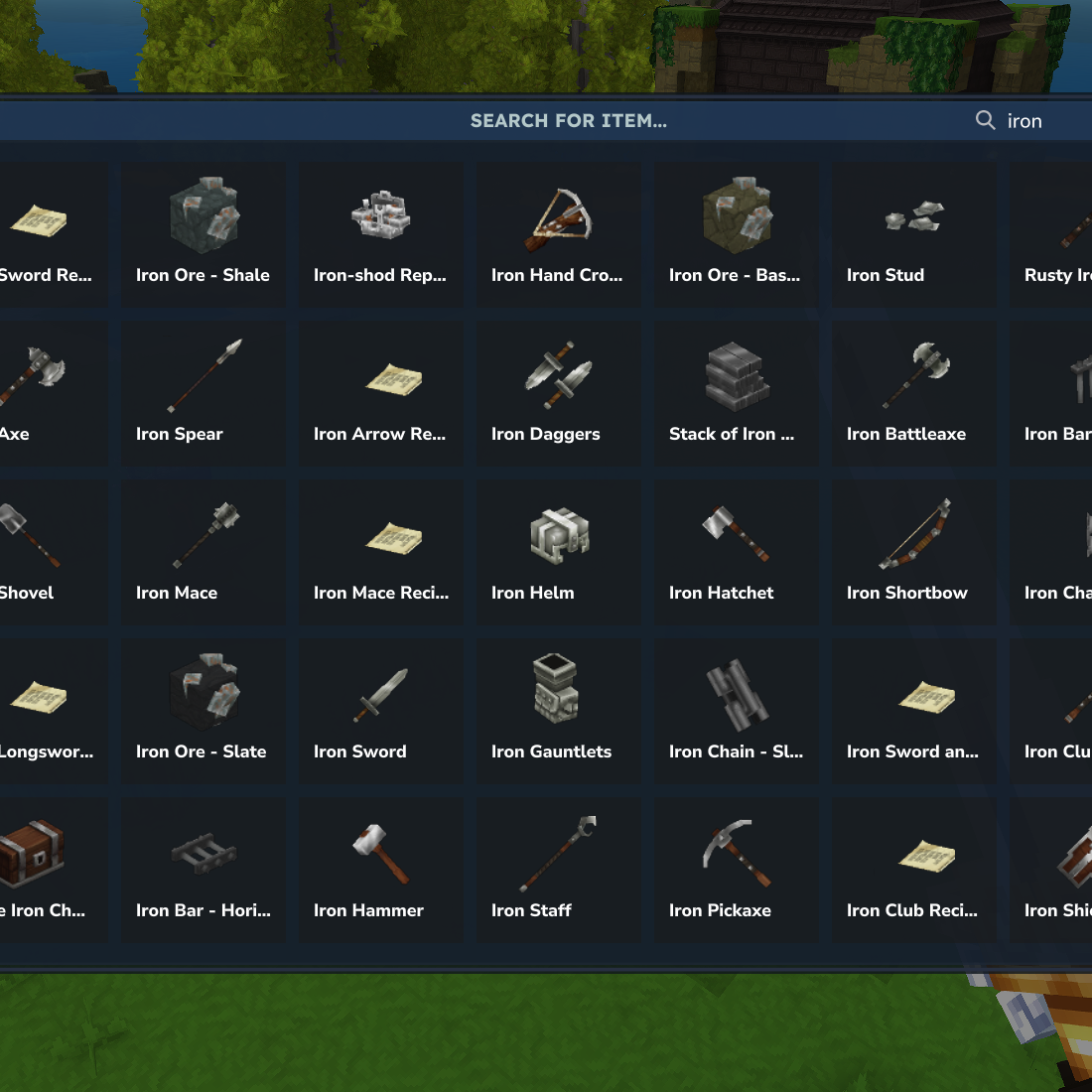
- Оказавшись на экране Map Schamatic Block, один за другим вы можете выбрать блоки Hytale, чтобы сопоставить их с блоками Minecraft, нажав на них. Есть удобное меню выбора блоков с фильтрами и несколькими методами сортировки, панель поиска и многостраничные результаты для лучшей производительности.
- После того, как вы заменили столько блоков, сколько хотели, или отключили их, или оставили их для заполнения блоком по умолчанию, вы можете щелкнуть «Схема вставки». Кроме того, вы можете сделать тестовую пасту, которая является только блоком по умолчанию, для целей отладки.
И самое главное, если вам нравится использовать этот мод, пожалуйста, используйте Код Создателя «Тридцать Вирусов» в Магазине Hytale!
Показать оригинальное описание (English)
Welcome to Schematic Importer! This mod's premise is simple, get your Minecraft builds into Hytale by simply:
- Putting this Jar file in your mods folder (...\Roaming\Hytale\UserData\Mods) (for running it yourself)
NOTE: Hytale currently has a feature where new mods get auto-disabled when you load them on a world for the first time. If the mod isn't loading, go into the world settings (right click) and enable the mod.
- Use /hsi schematic to open the schematic import menu. Close it again, and the mod will tell you the directory to place files in using a chat message (...\Mods\thirtyvirus_SchematicImporter\schematics) (for running it yourself)
- Put .litematic or .schem files in the correct directory
- From there, you may use "/hsi schematic" again and select your schematic
- Once in the Map Schamatic Block screen, one-by-one you are able to pick Hytale blocks to map to the Minecraft ones from your schematic by clicking on them. There's a convenient block selection menu with filters and multiple sorting methods, a search bar, and multi-page results for better performance.
- Once you've replaced as many blocks as you wanted, or disabled them, or left them to be filled in by the default block, you may click "Paste Schematic". Additionally, you can do a test paste that's only the default block, for debug purposes.
And most importantly, if you enjoy using this mod please use Creator Code "ThirtyVirus" in the Hytale Store!
Информация
Авторы:
Категории:
Версии игры:
Создан: 13.01.2026