HyComputer & HyPod
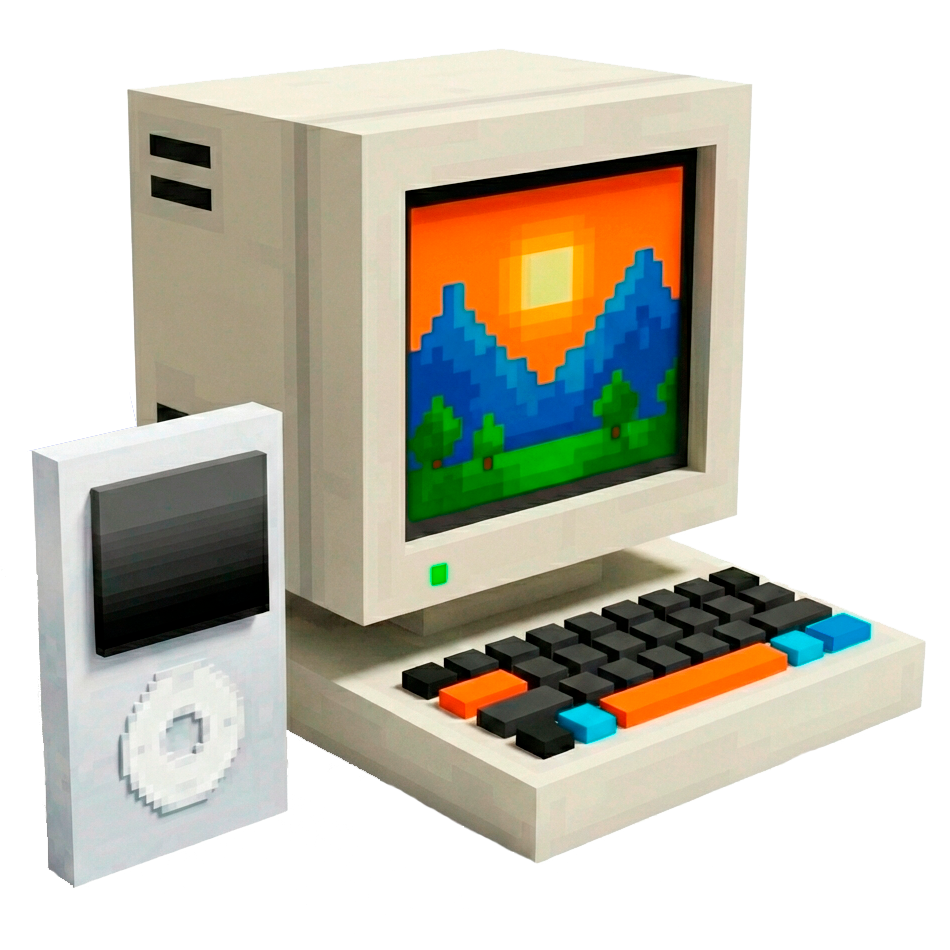
With HyComputer, you can execute commands (both vanilla and modded) using convenient buttons instead of typing. All commands are fully customizable.
Скриншоты
Описание
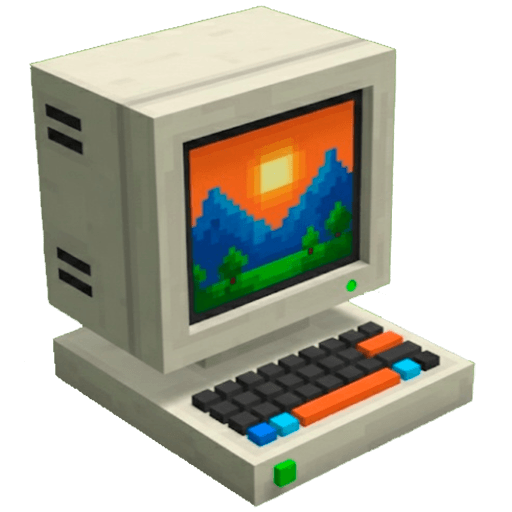
HyComputer: командное взаимодействие стало проще
HyComputer Мод Hytale предназначен для оптимизации взаимодействия с командами чата. В настоящее время большинство модов требуют ручного ввода для настройки или активации, что может нарушить погружение игры. Прекращение вашего геймплея для ввода сложных команд уходит в прошлое!
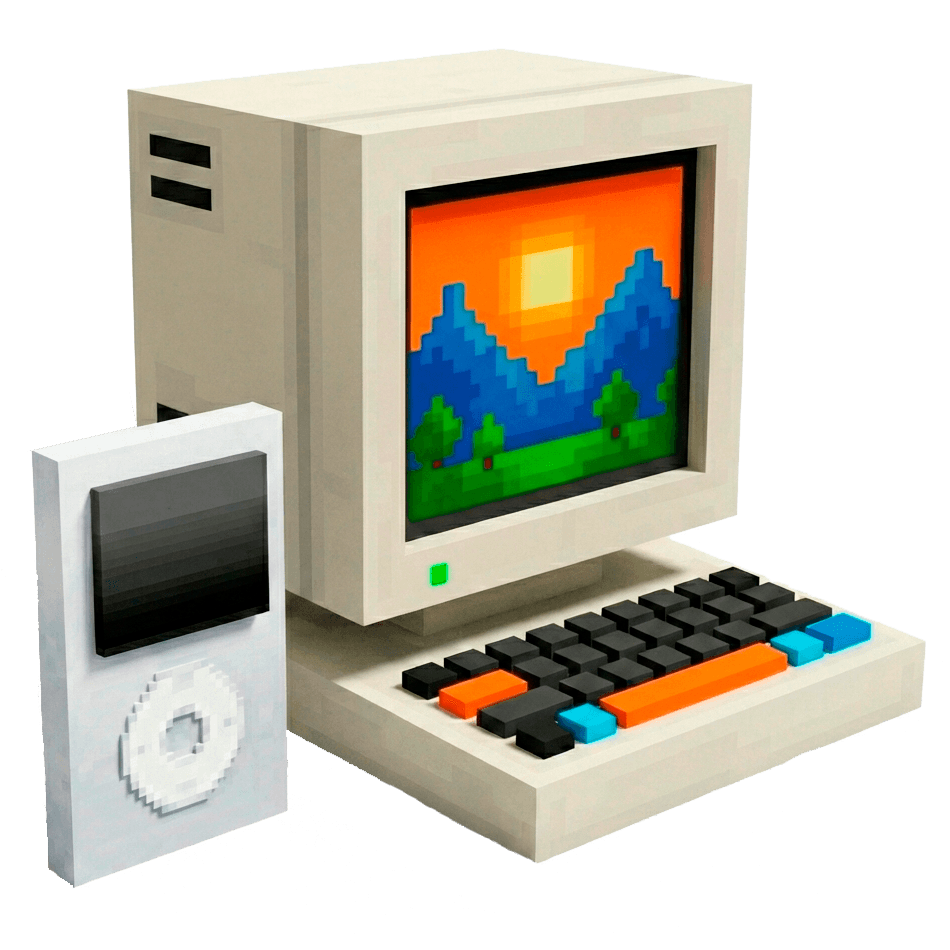
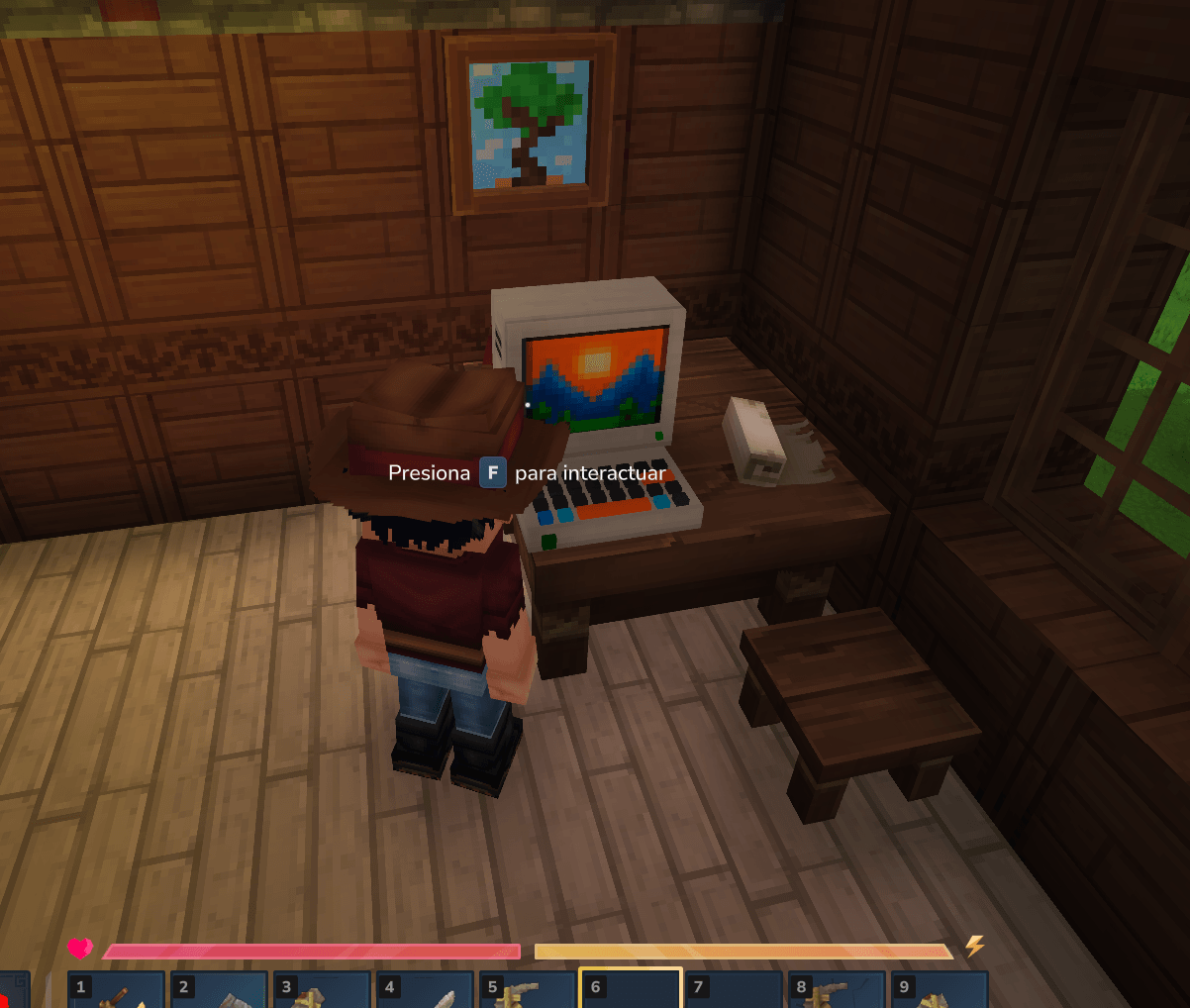
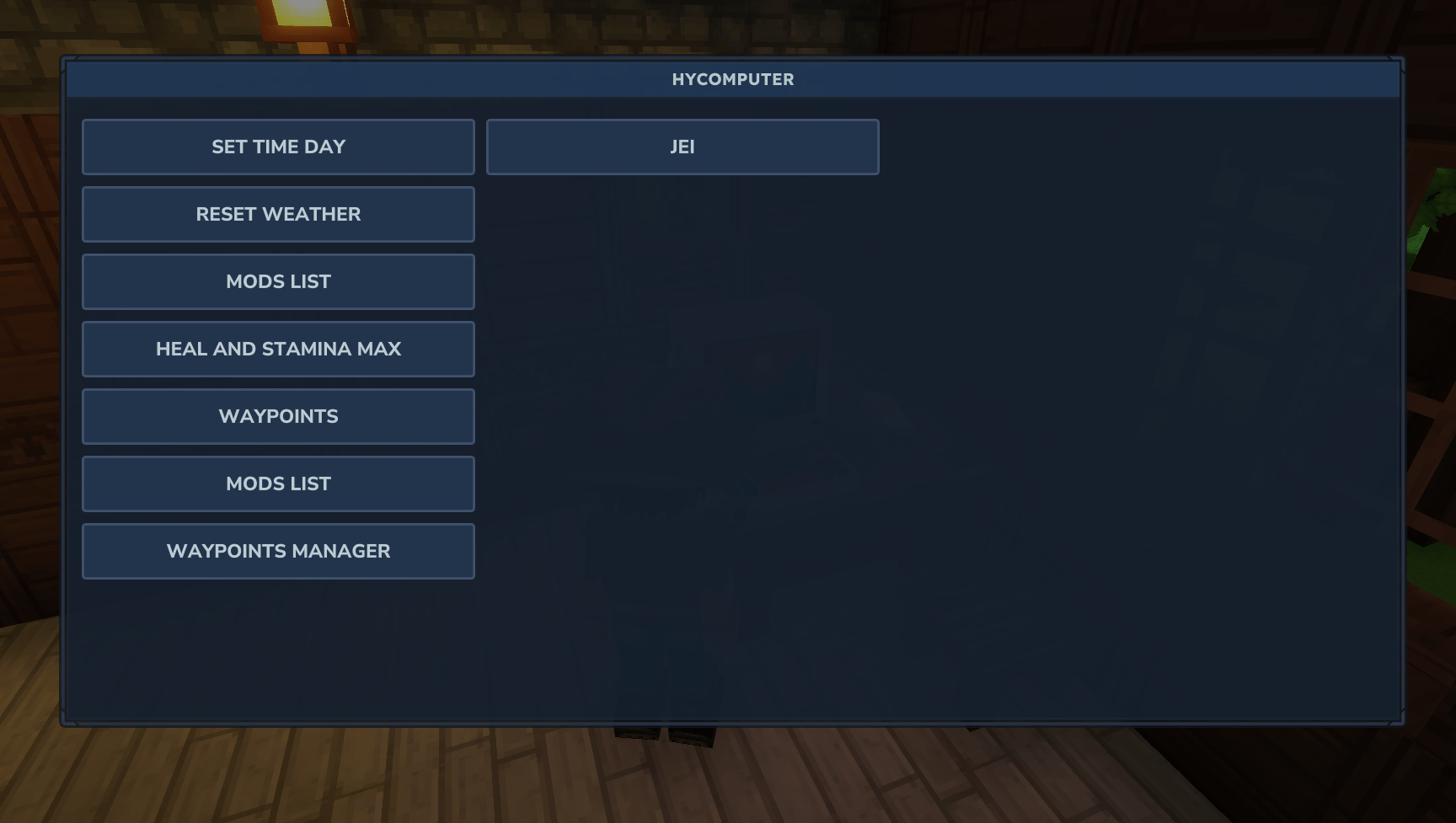
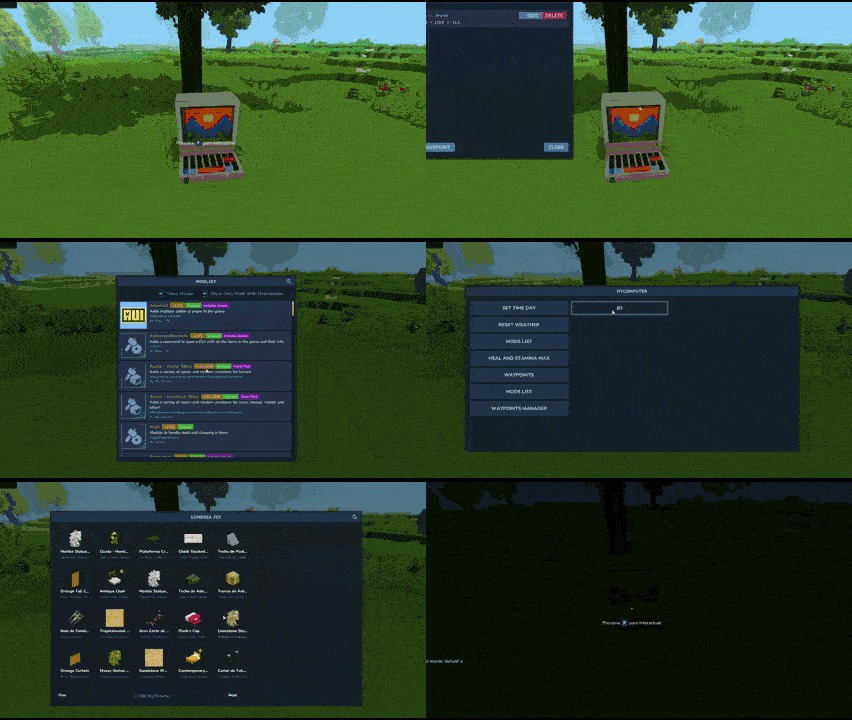
с HyComputerВы можете разместить функциональный компьютер в любой точке мира. Он имеет чистый графический интерфейс с настраиваемыми кнопками для выполнения любой команды, независимо от того, являются ли они Vanilla. Время, /погода, /op) или из других установленных модов (например, открытие графических интерфейсов или создание точек доступа).
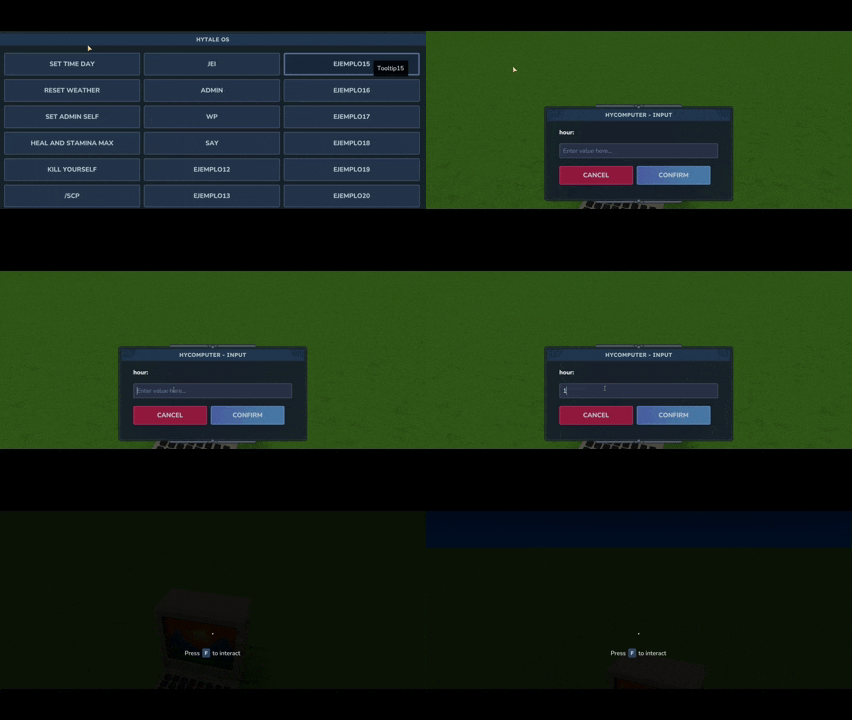
Командная интеграция с аргументы был добавлен. Теперь, добавляя % Текст % % В командной строке JSON появится второе окно, в котором будет запрашиваться значение этого аргумента. Например, с Время % часов %Вы можете ввести время, которое вы хотите установить. Другой пример был бы %user%%message%Два окна вводят имя и текст, в результате чего /Скажи сначала Второе значение ценность.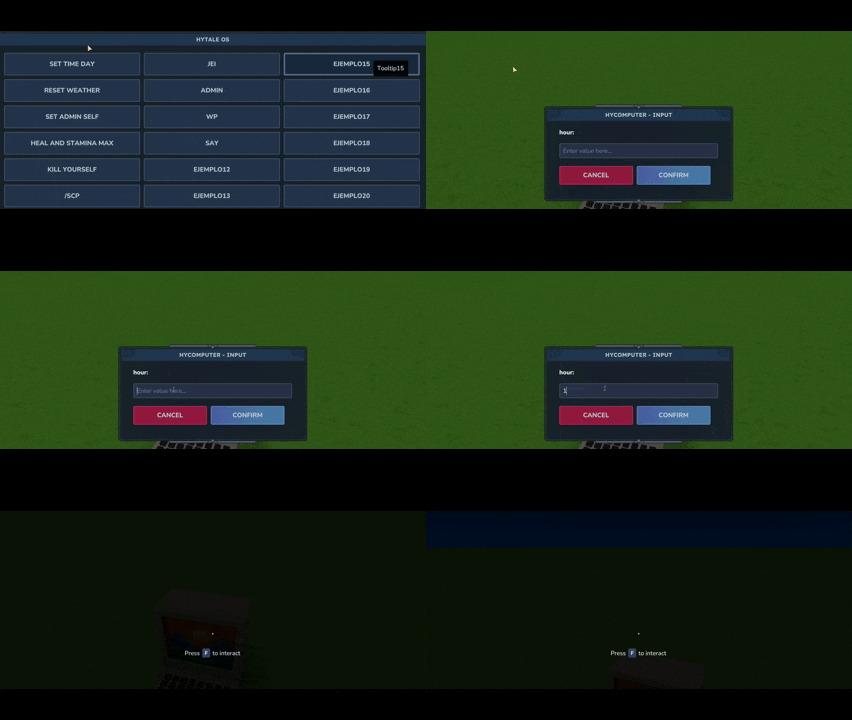
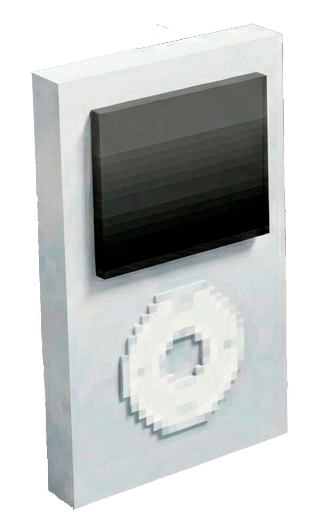
HyPod: удаленное взаимодействие команд
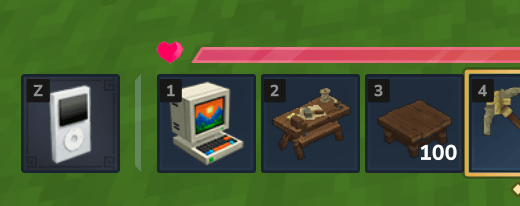
HyPod Привносит всю мощь HyComputer на ходу. Он функционирует как удаленный Терминал: после загрузки вы можете получить доступ к своим пользовательским кнопкам команд, оснастив их в горячей панели или в автономном режиме (пресса K).
Зачем использовать HyComputer и HyPod?
- Удобство: Больше не печатайте и не запоминайте десятки сложных команд.
- Погружение: Взаимодействуйте с миром через физический объект, а не через чат.
- Управление сервером: Идеально подходит для владельцев серверов, которые хотят предоставить игрокам интуитивный способ использования функций сервера, не обучая их каждой команде.
Установка
-
Скачать последнюю версию HyComputer.
-
Место
.джарфайл на сервер или клиентМодыпапка. -
Запустите игру, чтобы создать файл конфигурации по умолчанию.
️ Конфигурация
Мод автоматически генерирует HyComputer.json Файл в папке мод при первом запуске. Вы можете настроить на 21 пользовательская кнопка.
Для каждой кнопки есть три параметра:
- Имя: Ярлык отображается на кнопке.
- Командир: Командование выполнять (Примечание: Не включайте ведущего
/). - Тольтип: Описательный текст, который появляется при зависании над кнопкой.
- Только оп: Установите этот параметр так, чтобы кнопка отображалась только для пользователей с разрешениями OP.
Вы также можете настроить сообщение заголовка, которое появляется в верхней части окна. Он идеально подходит для предоставления информации членам вашего сервера (предстоящие события, правила или соответствующая информация).
- MessageTitle: Редактировать название.
- MessageText: Редактировать информационный текст.
Конфигурация по умолчанию Пример:
{
«MessageTitle»: «Добро пожаловать в Hytale OS!»
"Месседжтекст": Выберите опцию из меню ниже:
«Button1Name» — «Set Time»
"Button1Command": "time %hour%",
"Button1Tooltip": "Время перемен в мире",
"Button1OnlyOP": ложный,
"Button2Name": "Перезагрузка погоды",
"Button2Command": "перезагрузка погоды",
"Button2Tooltip": "Выполнить/погодный сброс",
"Button2OnlyOP": ложный,
"Button3Name": "Установить администратора",
"Button3Command": "op add %player%",
«Button3Tooltip»: «Исполнить /op <playername>»,
"Button3OnlyOP": правда,
«Button4Name»: «Heal and Stamina max»
"Button4Command": "исцеление",
"Button4Tooltip": "Выполнять/исцелять",
"Button4OnlyOP": ложный,
«Button5Name» — «Kill Player»
"Button5Command": "kill %player%",
«Button5Tooltip»: «Выполнить /убить игрока»
?
Лицензия и разрешения
Я даю полное разрешение включить HyComputer в любом модпаке.
Наслаждайтесь модом! Если у вас есть какие-либо отзывы или найти какие-либо ошибки, не стесняйтесь связаться.
Показать оригинальное описание (English)
HyComputer: Command Interaction Made Easy
HyComputer is a Hytale mod designed to streamline how you interact with chat commands. Currently, most mods require manual typing for configuration or activation, which can break the game's immersion. Stopping your gameplay to type complex commands is a thing of the past!
With HyComputer, you can place a functional computer anywhere in your world. It features a clean graphical interface with customizable buttons to execute any command—whether they are Vanilla (like /time, /weather, /op) or from other installed mods (like opening GUIs or creating waypoints).
Command integration with arguments has been added. Now, by adding %text% to the command in the JSON, a second window will appear in-game asking for the value of that argument. For example, with time %hour%, you can type the hour you want to set the time to. Another example would be say %user% %message%: two windows will appear to enter a name and a text, resulting in /say FirstValue SecondValue.
HyPod: Remote Command Interaction
HyPod brings the full power of HyComputer to you on the go. It functions as a remote terminal: once booted, you can access your custom command buttons by equipping it in your hotbar or off-hand (press K).
🌟 Why use HyComputer & HyPod?
- Convenience: No more typing or memorizing dozens of complex commands.
- Immersion: Interact with the world through a physical object instead of a chat box.
- Server Management: Ideal for server owners who want to provide players with an intuitive way to use server features without teaching them every command.
📥 Installation
-
Download the latest release of HyComputer.
-
Place the
.jarfile into your server's or client'sModsfolder. -
Start the game to generate the default configuration file.
⚙️ Configuration
The mod automatically generates a HyComputer.json file in your mod folder the first time it runs. You can configure up to 21 custom buttons.
For each button, there are three parameters:
- Name: The label displayed on the button.
- Command: The command to execute (Note: Do NOT include the leading
/). - Tooltip: The descriptive text that appears when hovering over the button.
- OnlyOp: Set this parameter to true so that the button only appears for users with OP permissions.
You can also configure the header message that appears at the top of the window. It’s ideal for providing information to your server members (upcoming events, rules, or relevant info).
- MessageTitle: Edit title.
- MessageText: Edit information text.
Default Configuration Example:
{
"MessageTitle": "Welcome to Hytale OS!",
"MessageText": "Select an option from the menu below:",
"Button1Name": "Set Time",
"Button1Command": "time %hour%",
"Button1Tooltip": "Change time of the world",
"Button1OnlyOP": false,
"Button2Name": "Reset weather",
"Button2Command": "weather reset",
"Button2Tooltip": "Execute /weather reset",
"Button2OnlyOP": false,
"Button3Name": "Set admin",
"Button3Command": "op add %player%",
"Button3Tooltip": "Execute /op <playername>",
"Button3OnlyOP": true,
"Button4Name": "Heal and Stamina max",
"Button4Command": "heal",
"Button4Tooltip": "Execute /heal",
"Button4OnlyOP": false,
"Button5Name": "Kill Player",
"Button5Command": "kill %player%",
"Button5Tooltip": "Execute /kill <player>",
}
📜 License & Permissions
I give full permission to include HyComputer in any modpack.
Enjoy the mod! If you have any feedback or find any bugs, feel free to reach out.
Информация
Авторы:
Категории:
Версии игры:
Создан: 23.01.2026