MediaRadio
Play music from Youtube in Hytale.
Скриншоты
Описание
MediaRadio
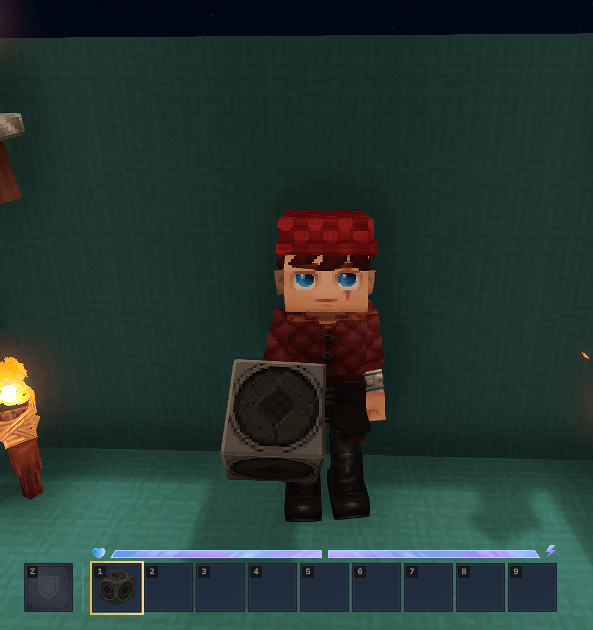
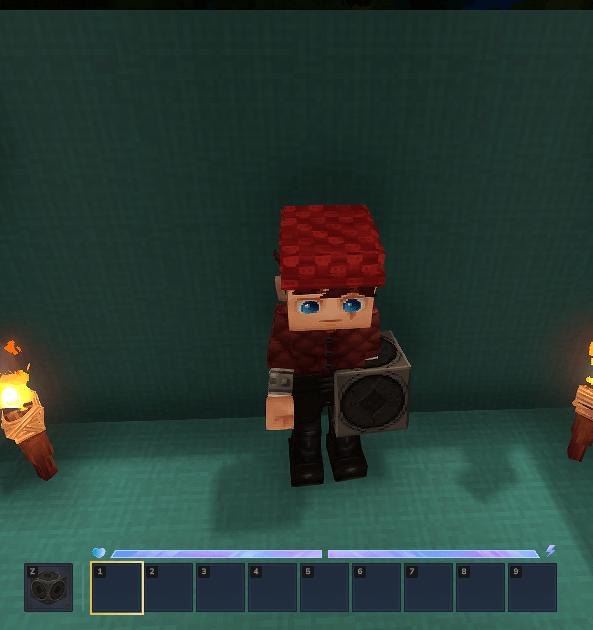
MediaRadio - это мод Hytale, который добавляет портативный радиоэлемент, который позволяет игрокам транслировать веб-аудио в игре.
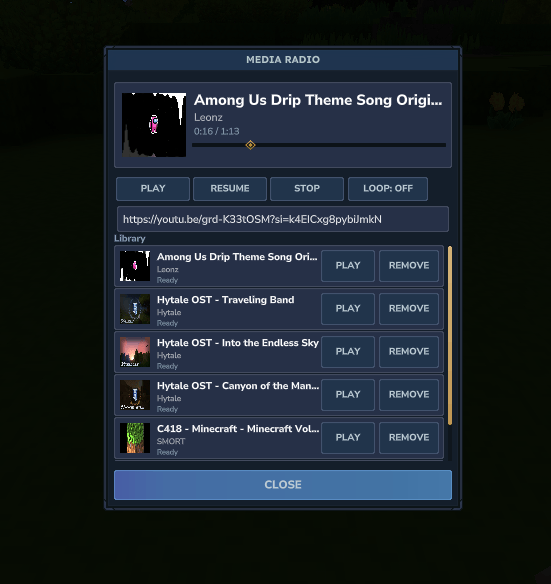
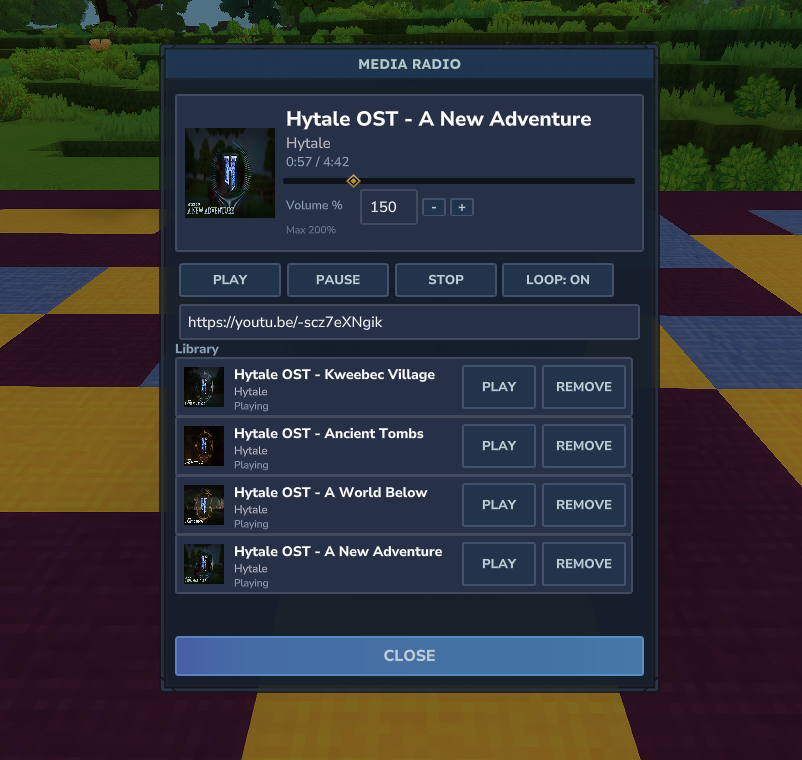
Музыка играет только в то время, когда радио удерживается (основная рука или от руки). Открытие радио показывает UI в стиле медиаплеера с игрой, паузой, остановкой, поиском, громкостью, циклированием и личной библиотекой песен на игрока.
Скриншоты


Особенности
- Потоковое аудио из поддерживаемых URL (YouTube и т. Д.)
- Использует yt-dlp и ffmpeg для загрузки и преобразования аудио в OGG
- Аудио транслируется по частям
- Библиотеки песен для игроков
- Отслеживание миниатюр загружается в качестве ресурсов времени выполнения
- Воспроизведение прекращается автоматически, когда радио не удерживается.
- 3D-песни, чтобы каждый мог присоединиться к вечеринке.
ремесло
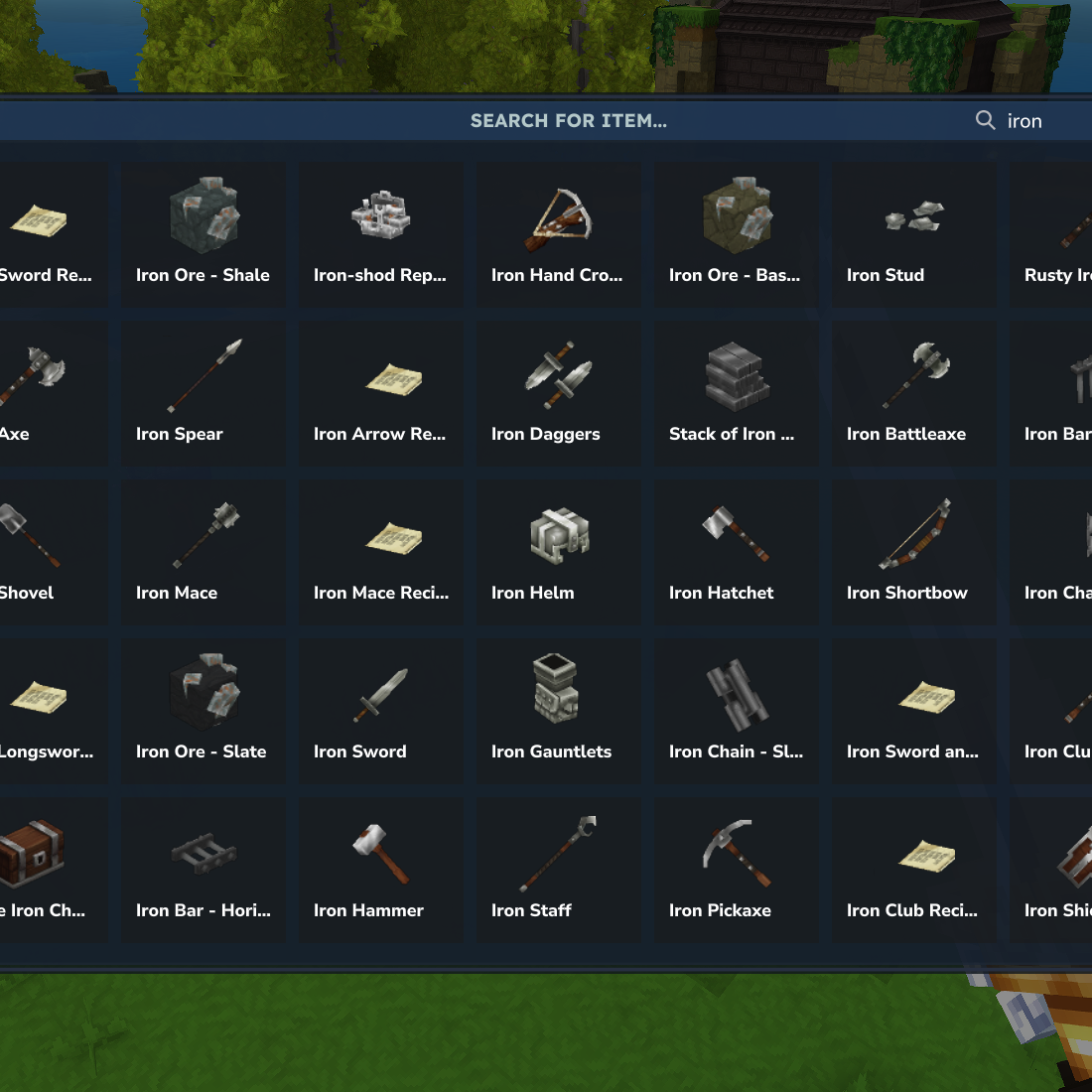
Мебельная скамейка (Furniture Misc)
- 15 железных слитков
- 25 медных слитков
- 5 руб.
Настройка (Single-Player / Local World)
Linux
- устанавливать
ит-длпиffmpegУбедитесь, что они доступны в вашей системеПуть. В качестве альтернативы поместите следующие исполняемые файлы вHytale/UserData/Saves/ Имя:/media_radio_assets/bin/:ит-длп,ffmpeg,игра,ffprobe. ЕслиMedia_radio_assetsилибинпапок не существует, их создают. Убедитесь, что файлы исполняютсяchmod +x Hytale/UserData/Saves/ Name}/media_radio_assets/bin/*. - Бросьте мод в
модОткройте папку и приложите ее к миру. - Начни мир.
- В игре, беги
/setup_radioДля проверки статуса. - Получите радиоэлемент и откройте его UI.
Windows
- устанавливать
ит-длпиffmpegУбедитесь, что они доступны в вашей системеПуть. В качестве альтернативы, поместите следующие файлы вHytale/UserData/Saves/ Имя:/media_radio_assets/bin/:yt-dlp.exe,ffmpeg.exe,ffplay.exe,ffprobe.exe. ЕслиMedia_radio_assetsилибинпапок не существует, их создают. Если выffmpegЗагрузка включает в себя дополнительные файлы (например,avcodec-62.dllили другой.dllФайлы, поместите их в одно и то жебинпапка. - Бросьте мод в
модОткройте папку и приложите ее к миру. - Начни мир.
- В игре, беги
/setup_radioДля проверки статуса. - Получите радиоэлемент и откройте его UI.
Выделенный сервер (Dedicated Server)
Примечание: для серверов двоичные файлы должны быть размещены относительно Корневая директория сервераНе мир спасает.
Linux
- устанавливать
ит-длпиffmpegи обеспечить их доступность в системеПутьИспользуется серверным процессом. В качестве альтернативы поместите следующие исполняемые файлы вPath/to/server/media_radio_assets/bin/:ит-длп,ffmpeg,игра,ffprobe. ЕслиMedia_radio_assetsилибинпапок не существует, их создают. Убедитесь, что файлы исполняютсяchmod +x path/to/server/media_radio_assets/bin/*. - Бросьте мод на сервер
модпапка. - Запустите сервер.
- В игре или через консоль сервера, запустить
/setup_radioДля проверки статуса. - Получите радиоэлемент и откройте его UI.
Windows
- устанавливать
ит-длпиffmpegи обеспечить их доступность в системеПутьИспользуется сервером. В качестве альтернативы, поместите следующие файлы вPath/to/server/media_radio_assets/bin/:yt-dlp.exe,ffmpeg.exe,ffplay.exe,ffprobe.exe. ЕслиMedia_radio_assetsилибинпапок не существует, их создают. Если выffmpegЗагрузка включает в себя дополнительные файлы (например,avcodec-62.dllили другой.dllФайлы, поместите их в одно и то жебинпапка. - Бросьте мод на сервер
модпапка. - Запустите сервер.
- В игре или через консоль сервера, запустить
/setup_radioДля проверки статуса. - Получите радиоэлемент и откройте его UI.
Показать оригинальное описание (English)
MediaRadio
MediaRadio is a Hytale mod that adds a handheld radio item which lets players stream web audio in-game.
Music plays only while the radio is held (main hand or offhand). Opening the radio shows a media-player style UI with play, pause, stop, seek, volume, looping, and a personal song library per player.
Screenshots
Features
- Streams audio from supported URLs (YouTube, etc.)
- Uses yt-dlp and ffmpeg to download and convert audio to OGG
- Audio is streamed in chunks
- Per-player song libraries
- Track thumbnails are downloaded as runtime assets
- Playback stops automatically when the radio is not held
- 3D Positional songs so everyone can join the party.
Crafting
Crafted at a Furniture Bench (Furniture Misc)
- 15 Iron Ingots
- 25 Copper Ingots
- 5 Rubble
Setup (Single-Player / Local World)
Linux
- Install
yt-dlpandffmpeg, and ensure they are available on your systemPATH. Alternatively, place the following executables inHytale/UserData/Saves/{World Name}/media_radio_assets/bin/:yt-dlp,ffmpeg,ffplay,ffprobe. If themedia_radio_assetsorbinfolders do not exist, create them. Ensure the files are executable withchmod +x Hytale/UserData/Saves/{World Name}/media_radio_assets/bin/*. - Drop the mod into the
modsfolder and apply it to the world. - Start the world.
- In-game, run
/setup_radioto verify the status. - Obtain the radio item and open its UI.
Windows
- Install
yt-dlpandffmpeg, and ensure they are available on your systemPATH. Alternatively, place the following files inHytale/UserData/Saves/{World Name}/media_radio_assets/bin/:yt-dlp.exe,ffmpeg.exe,ffplay.exe,ffprobe.exe. If themedia_radio_assetsorbinfolders do not exist, create them. If yourffmpegdownload includes additional files (for example,avcodec-62.dllor other.dllfiles), place those in the samebinfolder. - Drop the mod into the
modsfolder and apply it to the world. - Start the world.
- In-game, run
/setup_radioto verify the status. - Obtain the radio item and open its UI.
Setup (Dedicated Server)
Note: For servers, binaries must be placed relative to the server root directory, not the world save.
Linux
- Install
yt-dlpandffmpeg, and ensure they are available on the systemPATHused by the server process. Alternatively, place the following executables inpath/to/server/media_radio_assets/bin/:yt-dlp,ffmpeg,ffplay,ffprobe. If themedia_radio_assetsorbinfolders do not exist, create them. Ensure the files are executable withchmod +x path/to/server/media_radio_assets/bin/*. - Drop the mod into the server’s
modsfolder. - Start the server.
- In-game or via the server console, run
/setup_radioto verify the status. - Obtain the radio item and open its UI.
Windows
- Install
yt-dlpandffmpeg, and ensure they are available on the systemPATHused by the server. Alternatively, place the following files inpath/to/server/media_radio_assets/bin/:yt-dlp.exe,ffmpeg.exe,ffplay.exe,ffprobe.exe. If themedia_radio_assetsorbinfolders do not exist, create them. If yourffmpegdownload includes additional files (for example,avcodec-62.dllor other.dllfiles), place those in the samebinfolder. - Drop the mod into the server’s
modsfolder. - Start the server.
- In-game or via the server console, run
/setup_radioto verify the status. - Obtain the radio item and open its UI.
Последние версии
MediaRadio-1.0.5.jar
MediaRadio-1.0.4.jar
MediaRadio-1.0.3.jar
MediaRadio-1.0.2.jar
MediaRadio-1.0.1.jar
Информация
Авторы:
Версии игры:
Создан: 22.01.2026