ZenEmsi Advanced Minecraft Model
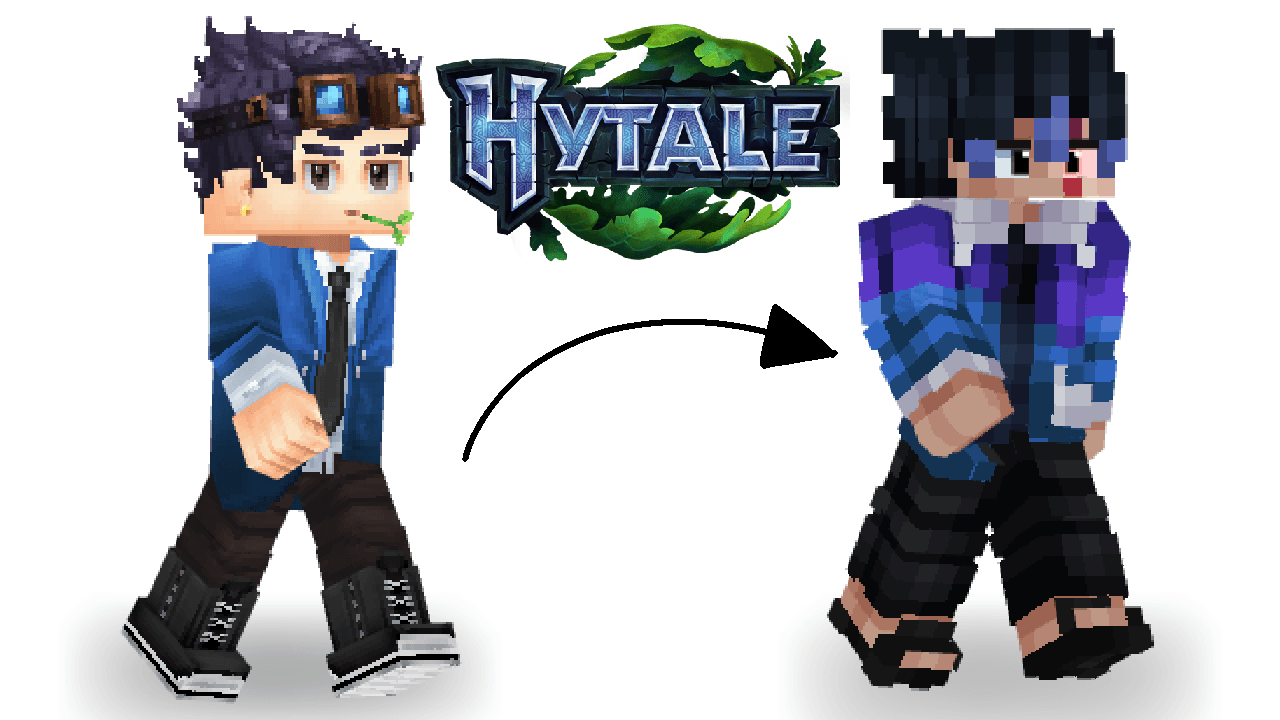
Turn your Hytale avatar to your Minecraft Skin
Скриншоты
Описание
На данный момент глаза только 2х2, как показано в предварительном просмотре.

Как установить мод:
1. Скачать мод
2. Извлеките мод
3. Переместите извлеченную папку в Hytale/UserData/Mods
4. Запуск Hytale
5. Перейдите в меню мира, затем щелкните правой кнопкой мыши по миру или создайте новый мир.
6. Убедитесь, что мод включен, а затем войти в мир
7. Оказавшись внутри, используйте команду /self op
8. Затем используйте набор команд / моделей M-Wide, но если ваша кожа тонкая, используйте набор команд / моделей M-Slim.
Как сделать собственную кожу Minecraft:
[Вариантно: Если вы не хотите повторять шаги 7-8, используйте PMA Persistent Model Assignment - Моды Hytale CurseForge]
Показать оригинальное описание (English)
For now, the eyes are only 2x2 as shown in the preview.
How to install the mod:
1. Download the mod
2. Extract the mod
3. Move the extracted folder to Hytale/UserData/Mods
4. Launch Hytale
5. Go to the world menu, then right-click on a world or create a new world
6. Make sure the mod is enabled, then enter the world
7. Once inside, use the command /self op
8. Then use the command /model set M-Wide, but if your skin is slim, use the command /model set M-Slim
How to put your own Minecraft Skin :
[Optional: If you don’t want to repeat steps 7-8, use PMA Persistent Model Assignment - Hytale Mods - CurseForge]
Последние версии
ZenEmsi Advanced Minecraft Model V1.zip
Информация
Авторы:
Версии игры:
Создан: 25.01.2026